Free Fire Account Verification: Hi there, players of Free Fire! You’ve put a lot of effort into the game leveling up your ranks, obtaining gems and skins, and savoring those moments. Now consider what it would be like to lose everything one day due to a guest login or a pointless link. Every player is plagued by this fear. As a result, Free Fire account verification is a minor but important security measure. This article will provide a straightforward explanation of verification, including how to conduct it, what to avoid, and what to do in the event that something goes wrong. Let’s begin by protecting your account.
Meaning and Benefits of Verification
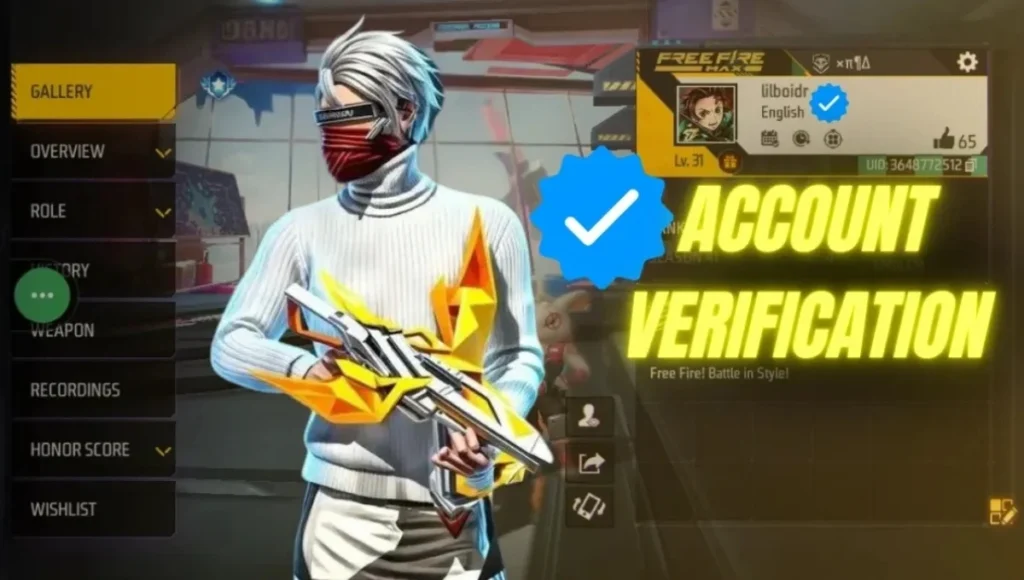
By connecting your game account to a reliable account, you may verify the authenticity of your Free Fire account. This can be done using email, Facebook, Google, or an official Garena account. The primary benefit of verification is that it facilitates account recovery in the event of account loss or hacking. If a guest player logs out for any reason, they frequently lose all of their work; verification permanently lowers this danger. Additionally, you can swiftly retrieve your account thanks to Garena’s prompt and efficient service for confirmed accounts.
Simple Verification Method
First, open the Free Fire or Free Fire Max app and go to your profile. In the Profile section, you’ll find Account Settings, where you’ll find the option to Link Account or Account Management. If you haven’t already linked a social account, select Google or Facebook and log in with your respective account. After adding your email or mobile number, you’ll receive an OTP – enter it and confirm. This entire process takes just a few minutes, securing your account. If you’re playing on a guest account, it’s wise to link it first, as recovery is difficult if you log out.
Precautions: What to Avoid
Most importantly, don’t trust any third-party links, free diamond offers, or giveaway links with names like Kochava. Such links often steal your login details, OTP, or UID and lead to account hacking. Never share your password, email, or phone number on any website or app other than Garena’s. Use two-step verification and a strong password. If at any time you suspect your account is unusually active, immediately change your password and report it to Garena support. Remember, a little caution saves you a lot of trouble.
Account Recovery When Something Goes Wrong
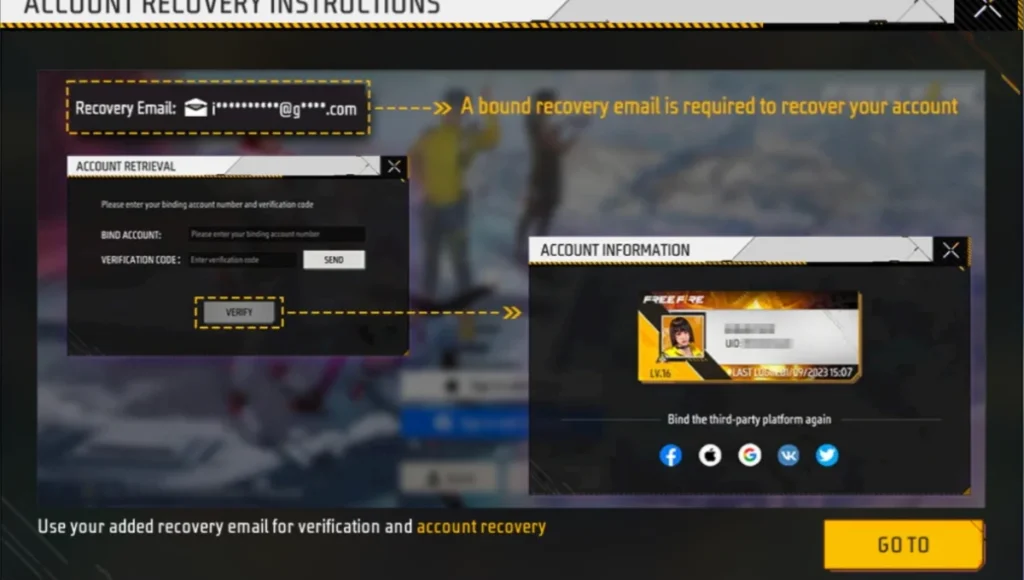
If your account is hacked or you can’t log in, first go to Garena’s official support page and fill out the recovery form. They may ask for account-related information, such as your UID, previous transactions, items used, or account creation/death. The support process is quick and efficient for users with verified accounts. Therefore, those who verify their accounts have a higher chance of recovery and receive their account in a shorter time.
Overview Column
| Topic | Details |
|---|---|
| Objective | Protect your Free Fire account from hacking and data loss |
| What to Do | Link your account to Google, Facebook, Email or Phone |
| Major Security Step | Convert your Guest account to a verified account as soon as possible |
| Risks | Avoid third-party links, fake giveaways, and never share OTP |
| Recovery Help | Verified accounts get faster recovery support |
| Additional Security | Use strong passwords and enable two-step verification |
FAQs
Can I verify my guest account later?
Yes, you can link your guest account to an official platform later, but keep in mind that there’s a risk of data loss if you log out of the guest account. So, link your guest account as soon as possible.
What if I accidentally logged in to a fake link?
First, change your password and the security of the associated email/social login. Then immediately report the issue to Garena Support and initiate the account recovery process. Also, scan your device for malware.
Does Free Fire offer two-step verification?
Free Fire doesn’t offer a two-step option directly, but you can enable two-factor authentication on your linked email or social account, which will further strengthen your security.
What kinds of offers should you avoid?
If a website or channel appears to offer free diamonds or VIP servers and isn’t published on Garena’s official channel, don’t trust it. Such offers are often scams.
Which method is the safest for account verification?
Linking via Google or Facebook is considered simple and secure, as these platforms offer advanced security and recovery features. It’s also beneficial to add an alternate email address and phone number.
Disclaimer: This article is intended to provide general information and safety tips. For any technical or account related issues, contact Garena’s official support and avoid sharing your data on any unofficial links.
Also Read:
Wall Royale Event: Golden chance to win the Briny Shore Gloo Wall for free in Free Fire
PlayStation Plus November: GTA 5, RDR & MotoGP 25 Hit the Lineup